6.5. Mentions
6.5.1. Mention other members
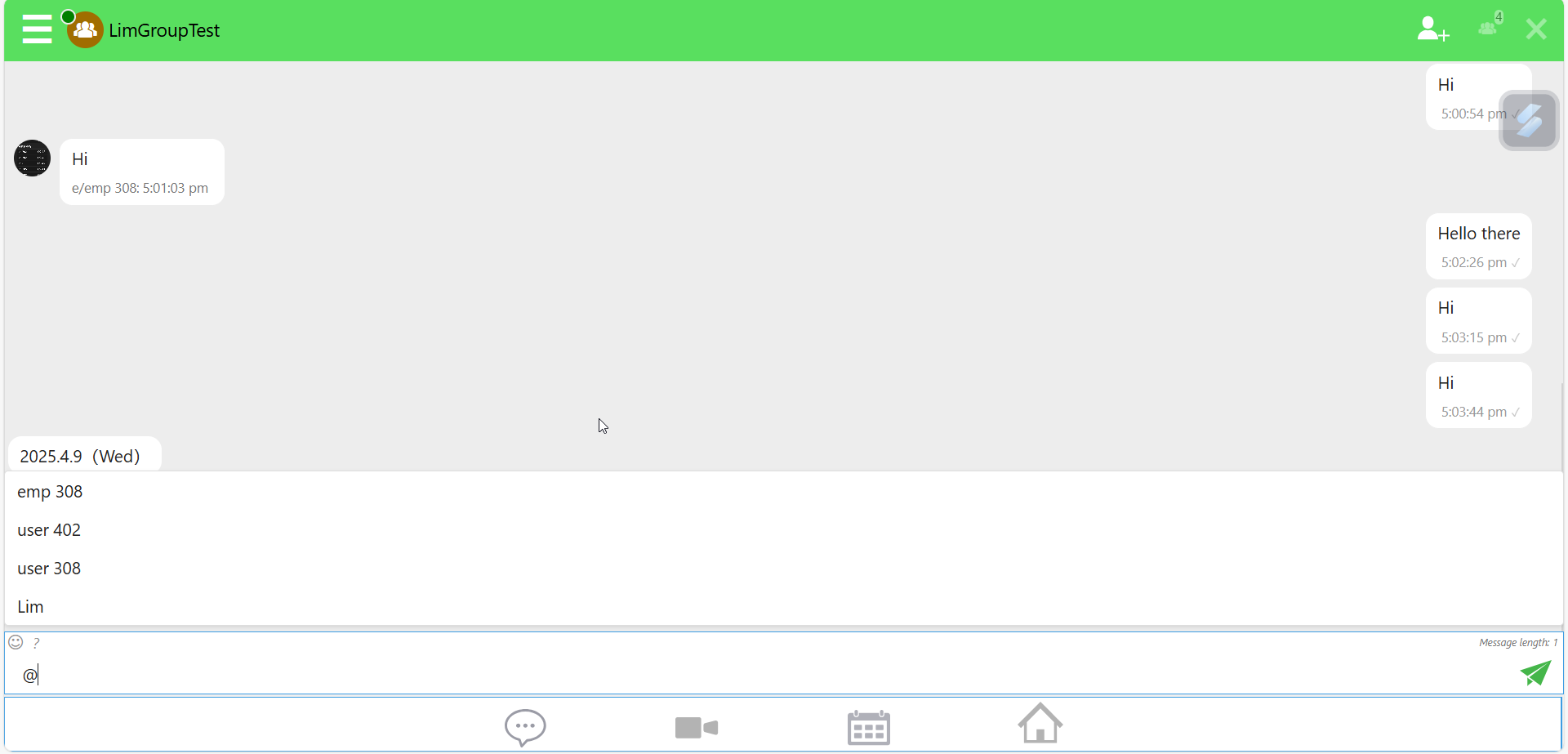
The mention function allows users to directly reference or tag other users within a chat by using the “@” symbol followed by the person’s name or username.
Similar to features in apps like WhatsApp and WeChat, this function notifies the mentioned user, ensuring they are aware of the specific message even in group chats.

Upon typing “@”, a list of group members will appear, from which the user can select one or more members to mention. Once selected, the user can compose and send the message.
6.5.2. List of mentions
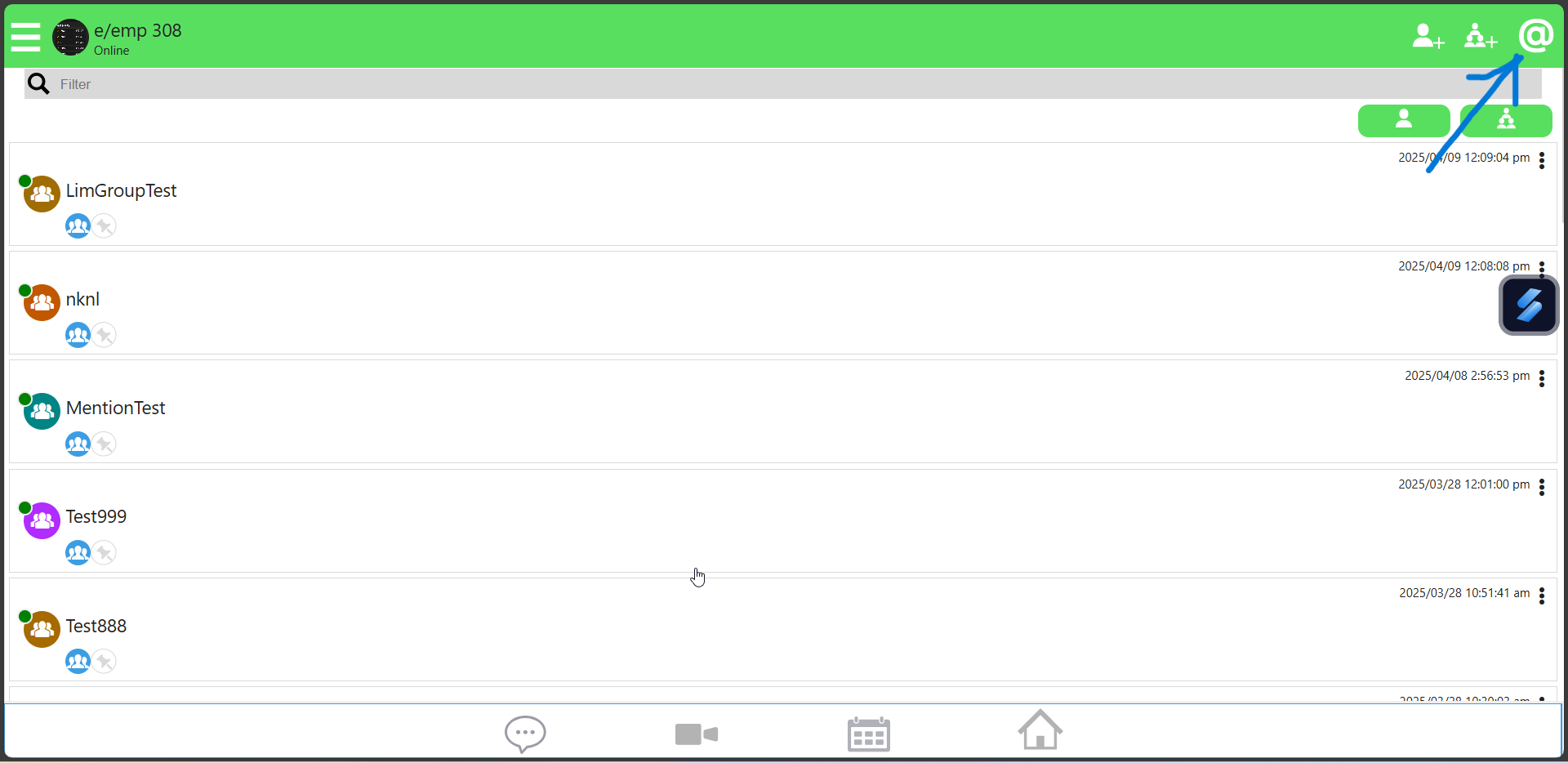
The Mentions List feature allows users to easily view all messages in which they have been mentioned. To access this list, users can simply tap the “@” icon located at the top-right corner of the chat interface. This provides a quick way to catch up on messages that require their attention, especially in busy group chats.
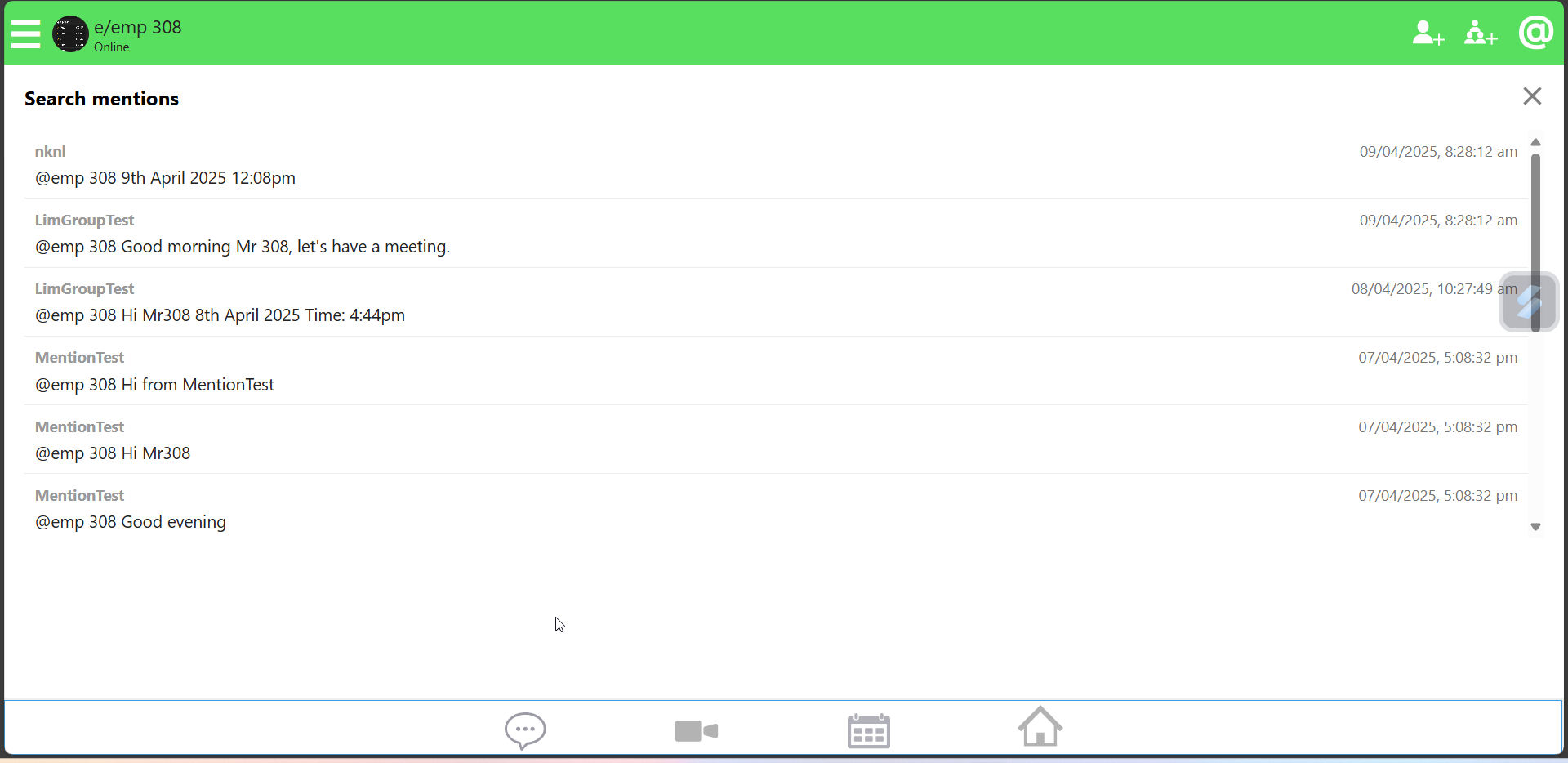
After clicking on the “@” icon, the list of messages which the user have been mentioned is displayed. When a user clicks on any message in this list, they will be automatically navigated to the corresponding group chat, and the conversation will scroll directly to the mentioned message, allowing the user to easily view it in context.